
How To Appeal Denied reimbursement Claims For Damaged Goods


TL;DR
Understand what types of damaged goods are eligible for reimbursement (lost inventory, damaged goods, etc.).
Know why your claims might be denied, such as missing information or incorrect claim categories.
To appeal, gather the necessary details (ASIN, order ID, evidence of damage) and submit a clear, concise message.
If your appeal is denied again, review the reasons, correct the issues, and try escalating the case.
Avoid future denials by double-checking claim details, filing on time, and using tools like Refunzo to streamline the process.
As an Amazon FBA seller, it can be frustrating when your reimbursement claims for damaged goods are denied. Whether your products were lost, damaged during transit, or harmed while in Amazon's warehouse, you should be able to get compensated. Unfortunately, many claims get rejected, leaving you without reimbursement.
In this guide, we’ll explain how to appeal a denied Amazon FBA reimbursement claim for damaged goods. We’ll talk about which types of damaged items can be reimbursed, why claims are sometimes denied, and how to write an effective appeal message. If your appeal is denied again, we’ll give you tips on what to do next.
We’ll also introduce tools like Refunzo that can make the process easier, saving you time and improving your chances of getting reimbursed. By following these steps and knowing how to handle denials, you can recover your lost money and protect your business.
Types of damaged goods eligible for reimbursement
As an Amazon FBA seller, knowing which types of damaged goods are eligible for reimbursement is crucial to protecting your business and getting the compensation you deserve. Here are the main types of damaged goods that may qualify for reimbursement:
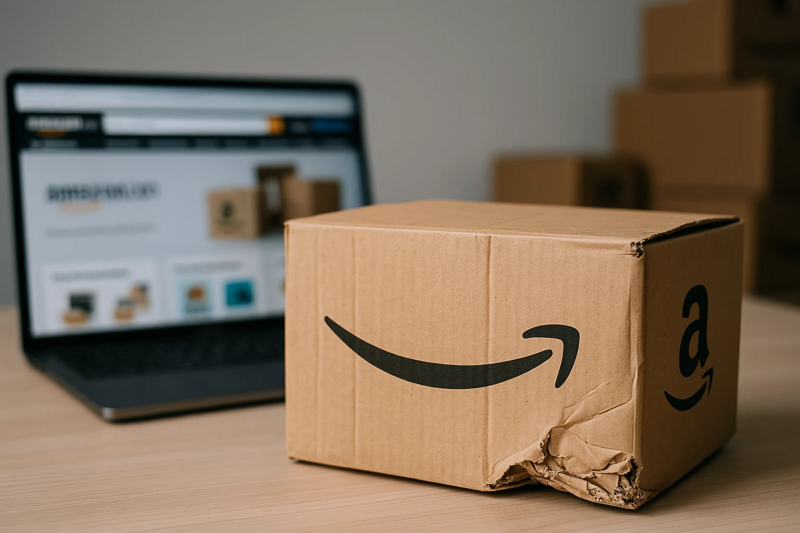
Damaged during fulfillment: If your products are damaged while stored in Amazon’s warehouse or during the fulfillment process, you may be eligible for reimbursement. This includes products that are dropped, crushed, or improperly handled while being prepared for shipping.
Lost inventory: If Amazon loses your inventory while it's in their warehouse or during shipping, you can file a reimbursement claim for the lost products. Keep track of your inventory to make sure you're aware of any discrepancies.
Damaged during transit: Sometimes, items can get damaged during shipping. If you notice that a product is damaged upon arrival at Amazon’s warehouse, you can request reimbursement for that damaged stock.
Customer returns: If customers return items in a damaged condition that cannot be resold, you may be entitled to Amazon FBA inventory reimbursement. Make sure to check your customer returns report to spot any damaged returns.
In all cases, make sure to check your FBA reports and document the damage clearly, as this will help you file a stronger reimbursement claim.
Common reasons claims get denied
When filing reimbursement claims for damaged goods on Amazon, there are several reasons why they might get denied. Understanding these common issues can help you avoid mistakes and improve your chances of getting reimbursed.
#1 Missing information
If your claim doesn’t include all the necessary details, Amazon may reject it. This could include missing the ASIN (product ID), order ID, or not providing enough evidence of the damage. Always ensure you include all required information in your claim.
#2 Late submission
Amazon allows up to 18 months to file claims for lost or damaged inventory, but if you miss the deadline, your claim will be denied. It’s important to submit claims as soon as you notice an issue.
#3 Incorrect claim category
If you choose the wrong category for your claim (e.g., filing a "damaged goods" claim for lost inventory), Amazon may reject it. Make sure you select the correct issue type to ensure your claim is processed accurately.
#4 Restocked damaged items
If Amazon decides to restock a damaged item instead of marking it as unsellable, they won’t reimburse you. Always double-check if the item was restocked, as this can affect your eligibility for reimbursement.
#5 Seller-caused damage
If Amazon believes the damage was caused by you (such as poor packaging or handling), your claim may be denied. Make sure your products are properly packaged to avoid this issue. By understanding these reasons, you can avoid common mistakes and improve your chances of getting your Amazon lost inventory reimbursement claim approved.
How to appeal a denied claim
Appealing a denied reimbursement claim on Amazon can feel frustrating, but it's important to know how to approach it the right way to increase your chances of success.
1. Understand why the claim was denied
Before you can appeal, make sure you know exactly why your claim was rejected. Amazon usually provides a reason in the claim rejection notice. Common reasons include missing information, incorrect claim category, or Amazon's decision that the item is resellable.
2. Gather all required information
Make sure you have all the necessary details to support your appeal. This includes:
ASIN (Amazon Standard Identification Number) of the damaged product.
Order ID for reference.
Clear evidence of the damage, like photos or descriptions (if applicable).
Inventory Adjustments Report showing that the product was unsellable.
The more thorough and detailed your appeal, the better the chance it will be accepted.
3. Submit a clear appeal
Go to Seller Central and use the “Case Log” to create a new case. Write a clear and concise message explaining why you believe the claim should be approved. Include all supporting documents and make sure to follow Amazon's guidelines. Mention any relevant details, like if the item was damaged during Amazon’s fulfillment process.
4. Follow up
If you don’t hear back after a few days, follow up with Amazon to check the status of your appeal. Be polite and professional in your communication.
By following these steps, you can increase your chances of successfully appealing a denied claim.
What to include in your appeal message
When appealing a denied reimbursement claim for damaged goods, it’s important to include the right information in your appeal message. Here’s what to include:
Clear explanation: Briefly explain the issue and why you believe you’re entitled to reimbursement. For example, mention that the goods were damaged during Amazon's fulfillment or while in their warehouse.
Detailed product information: Include the ASIN (Amazon Standard Identification Number), order ID, and any other relevant product details. This makes it easier for Amazon to locate the exact item and case.
Supporting evidence: Attach any photos or documents that show the damage, such as images of the damaged item or a report from your shipping partner.
Clear request: Politely ask for the Amazon warehouse damaged reimbursement you believe you’re owed.
Tracking information: If applicable, include tracking numbers or reports that prove your claim.
What to do if the appeal is denied again
If your appeal is denied again, don't give up. First, review the reasons Amazon gave for the rejection. If the issue is with missing information or a wrong claim category, gather the correct details and resubmit your appeal. Make sure to include any new evidence or documentation that supports your case.
If the appeal is still denied, you can escalate the issue by contacting Amazon support directly. Be polite, and clear, and explain why you believe the claim should be accepted. Sometimes, persistence pays off. You can consider using tools like Refunzo to track claims more efficiently and reduce errors, increasing your chances of success next time.
Tips to avoid future denials
Double-check all required details before submitting a claim
File claims on time
Choose the correct claim type (lost or damaged inventory)
Include clear information like ASIN, order ID, and photos
Regularly check your FBA inventory reports
Follow Amazon’s reimbursement rules carefully
Respond quickly to any extra information requests
Keep track of past claims to avoid duplicates
How tools like Refunzo can help
Tools like Refunzo can make the process of handling reimbursement claims much easier for Amazon FBA sellers. Refunzo automatically scans your account to find issues like lost or damaged inventory, overcharged fees, and other discrepancies that might be eligible for Amazon FBA refund reimbursement.
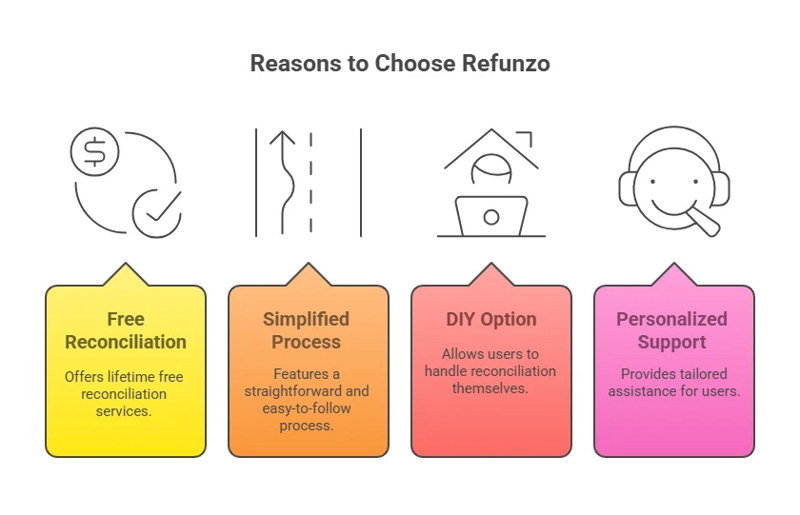
Instead of manually checking reports, Refunzo does the hard work for you. It tracks every transaction and helps you identify reimbursement opportunities that you might have missed. Refunzo also helps you file claims with Amazon, taking care of the paperwork and follow-up. This saves you time and reduces errors.
By using Refunzo, you can ensure that no claim slips through the cracks, helping you recover more money and keep your business running smoothly without the stress of handling claims yourself.
Final words
Dealing with denied reimbursement claims for damaged goods can be frustrating, but with the right steps, you can recover your lost funds. By understanding why claims are denied and knowing how to appeal effectively, you can improve your chances of success.
Always double-check your information, file claims on time, and keep track of your inventory reports to avoid common mistakes. Tools like Refunzo can streamline the process, helping you identify issues early, file accurate claims, and track progress efficiently.
If you want to ensure you don’t miss out on reimbursement opportunities, consider using our Amazon inventory reimbursement services for a thorough, accurate, and stress-free way to recover the money Amazon owes you.