
FBA Customer-Damaged Reimbursement: What it is and How to Claim it


TL;DR
Customer-damaged inventory refers to items returned in poor condition that can no longer be sold.
Regularly check your returns report in Seller Central to identify customer-damaged items.
If Amazon marks items as "customer damaged" and doesn’t reimburse you, file a claim for reimbursement.
Amazon reimburses for customer-damaged returns only if they’re not restocked for sale.
Use protective packaging, clear product descriptions, and monitor customer feedback to prevent damage.
When running an FBA business, dealing with customer-damaged returns is an unavoidable part of the process. Customer-damaged inventory occurs when a product is returned in poor condition and can no longer be resold.
As a seller, this can lead to lost profits, but Amazon does offer reimbursement for these damaged items in certain situations. However, the process of claiming reimbursement for customer-damaged goods can be tricky.
In this blog, we’ll explain what customer-damaged inventory is, how it affects your business, and how to identify it in your reports. We’ll also discuss Amazon’s policy on these returns and how to properly handle them.
Additionally, we’ll share tips on avoiding losses from customer-damaged items and ensuring you’re not losing money. By understanding these key aspects, you can recover the money you're owed and protect your profits in the long run.
What is customer-damaged inventory?
Customer-damaged inventory refers to items that customers return in poor condition, making them unsellable. This can happen when a product gets broken, scratched, or used in a way that prevents it from being resold as new. For example, a customer might return a piece of clothing with stains, a gadget with broken parts, or a product with missing accessories.
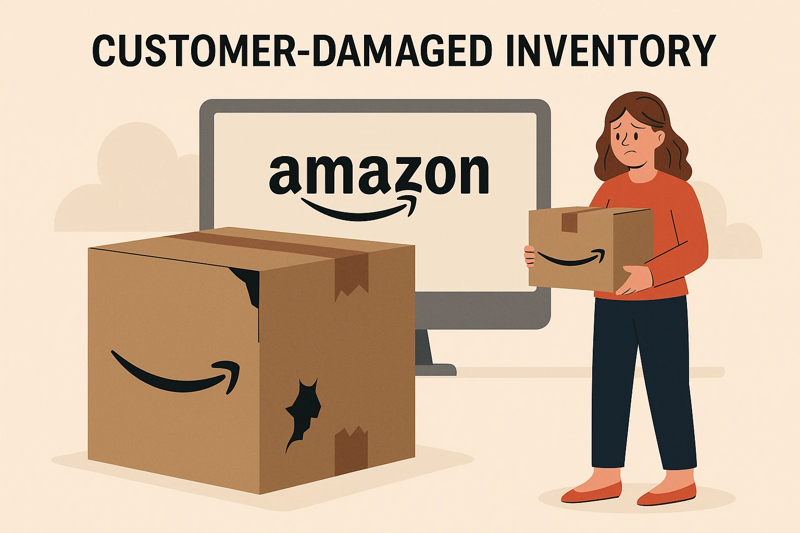
When Amazon receives a returned item and marks it as "customer damaged," it means the item can no longer be sold as new. If Amazon doesn’t reimburse your FBA inventory for these items, you could be losing money.
It’s important to regularly check your FBA reports for customer-damaged returns so you can file a reimbursement claim if necessary. While Amazon handles returns, they may not automatically refund you for the damages, so it’s up to you to track and manage this Amazon FBA reimbursement properly.
Impact of Customer-Damaged Returns on Amazon Sellers
Customer-damaged returns can have a big impact on Amazon sellers. When a customer returns an item that is broken, used, or otherwise unsellable, it can lead to lost profits. Not only do you lose the value of the product, but you may also be charged return fees. In some cases, Amazon may not reimburse you for the damage, leaving you with a financial loss.
The problem with customer-damaged returns is that they can affect your inventory levels and sales. If these items aren’t restocked or reimbursed properly, it can reduce your available stock and hurt your ability to meet customer demand. This could lead to lost sales and lower ratings from customers.
How to identify customer-damaged inventory
Identifying customer-damaged inventory is an important step in managing your FBA business. Customer-damaged items are those that are returned in poor condition, making them unsellable. Here’s how to identify them:
Check the returns report: In your Seller Central account, look at the returns report to see which items have been returned by customers. Items that are marked as “customer-damaged” usually indicate that the product can no longer be resold.
Review the condition: Once you get the returned item, inspect it carefully. Look for signs of damage such as dents, scratches, missing parts, or packaging that is no longer intact. If the item cannot be sold as new, it’s considered customer-damaged.
Look for “customer damaged” labels: Amazon marks customer-damaged returns in its system. If you notice products marked as "customer damaged" in your reports or your inventory, this is a strong indicator that the item is no longer resellable.
Monitor customer feedback: Pay attention to any feedback or complaints from customers that could indicate they returned a damaged item. This can also help identify potential customer-damaged goods.
By regularly reviewing these reports and inspecting returned items, you can quickly identify customer-damaged inventory and take the necessary steps to file for reimbursement if eligible.
Amazon's policy on customer-damaged returns
Amazon's policy on customer-damaged returns can be a bit tricky for FBA sellers to navigate. When a customer returns an item that is damaged or not in resellable condition, Amazon may mark it as "customer damaged." This typically happens when a product is returned with visible damage, such as broken packaging or missing parts, and can’t be restocked for sale.
According to Amazon’s policy, if an item is marked as customer-damaged, you may be eligible for reimbursement. However, it’s important to note that Amazon only reimburses you if the item is not restocked for sale. If Amazon decides to return the item to your inventory or lists it as sellable, you won’t be reimbursed.
To handle these situations, you should regularly check your returns report in Seller Central to track any customer-damaged items. If an item is marked as “customer damaged” but is not reimbursed, you can file a claim for Amazon FBA reimbursement.
One thing to remember is that Amazon doesn’t automatically reimburse all customer-damaged returns. It’s up to you to identify these issues, file claims, and follow up if necessary. By staying on top of your reports and being proactive, you can recover the money that’s owed to you.
How to handle customer-damaged returns
Handling customer-damaged returns can be annoying, but it's important to manage them correctly to avoid losing money. First, check your returns report in Seller Central to find any items marked as "customer damaged." These items can’t be resold, and you may be able to get reimbursed by Amazon.

Once you spot a damaged return, file a claim with Amazon. Go to Help > Get Support > Fulfillment by Amazon, choose Investigate Other FBA Issues, and select Customer Damaged Returns. Provide the ASIN, order ID, and any other information needed for the claim.
To avoid these issues in the future, improve your product packaging, provide clear descriptions, and address customer concerns quickly. By staying on top of returns and filing claims, you can recover your losses and keep your business running smoothly.
Tips to avoid losing money on customer-damaged items
Use strong, protective packaging for your products
Write clear and accurate product descriptions
Make return instructions easy for customers to follow
Check returned items quickly
Regularly review your Returns Report
File claims for damaged returns right away
Respond quickly to customer feedback and issues
Use extra protection like bubble wrap or padding
Keep track of damaged items and update listings if needed
Consider using a return inspection service
Final thoughts
Handling customer-damaged returns is a critical aspect of managing your FBA business. If you don't address these returns properly, you could lose money and inventory. Regularly checking your returns report, filing claims quickly, and ensuring that damaged items are tracked and reimbursed will help protect your profits.
Don’t rely solely on Amazon to catch every issue, staying proactive is key to recovering money for damaged products. To prevent future losses, improve product packaging, provide clear instructions for returns, and be responsive to customer concerns. By consistently managing returns, you can avoid long-term financial impacts.
If you find the process too time-consuming, Amazon Seller reimbursement services can help. These services assist in tracking, filing, and following up on claims, making it easier for you to recover money and ensure your FBA business stays profitable and efficient.