
Damaged Goods Affecting your Seller Metrics? Here's How to Recover


TL;DR
Damaged goods can negatively affect your Amazon seller metrics, leading to negative feedback and account health issues.
Identify where the damage happened by checking your Amazon Seller Central reports (Inventory adjustments and customer returns).
File an FBA reimbursement claim for damaged or lost inventory to recover your costs.
Request the removal of negative feedback and respond to reviews to protect your reputation.
Improve packaging and use reliable shipping partners to reduce damage during transit.
Use tools like Refunzo to automate tracking, and claim filing, and ensure you don’t miss reimbursements.
Did you know that damaged goods can affect your Amazon seller metrics and harm your account health?
As an Amazon FBA seller, it’s important to keep track of your products from start to finish. When goods are damaged, it can lead to negative feedback, returns, and bad reviews, all of which can lower your sales and reputation. If damaged products are affecting your seller metrics, don’t worry there are steps you can take to fix it.
From finding out where the damage happened to filing Amazon FBA reimbursement claims, there are ways to recover your losses and protect your account. Using tools like Refunzo can help automate the process, saving you time and making sure everything is handled properly.
In this guide, we’ll show you how to recover from damaged goods and improve your seller metrics so you can keep your Amazon business growing smoothly.
How to recover your damaged goods affecting your seller metrics

#1 Know how damaged products hurt your account
Damaged products can hurt your Amazon seller account in several ways. First, if customers receive damaged items, they may leave negative feedback or even return the product. This can affect your seller rating and hurt your reputation.
Negative reviews also reduce customer trust, leading to fewer sales. Additionally, Amazon may charge you for damaged inventory, further increasing your costs. If these issues aren’t addressed, it can also impact your account health metrics, possibly resulting in account suspensions or restrictions. It's important to track and resolve damaged goods quickly to maintain a healthy account and strong sales.
#2 Find out where the damage happened
To figure out where the damage happened, start by reviewing your Amazon Seller Central reports. Check your inventory adjustments report to see if the damage occurred while the product was in Amazon’s warehouse.
If the damage happened during fulfillment, it should show up here. You can also check your customer returns report to see if the item was returned damaged by the customer. If it happened during shipping, the issue might be related to the shipping partner. Knowing where the damage occurred helps you determine how to proceed with filing an Amazon warehouse damaged reimbursement claim.
#3 Check Seller Central reports
To address damaged goods, start by checking your Seller Central reports. These reports help you find discrepancies and determine the cause of damage. Review the inventory adjustments report to see if Amazon made any changes to your stock, including damage that occurred in their warehouse.
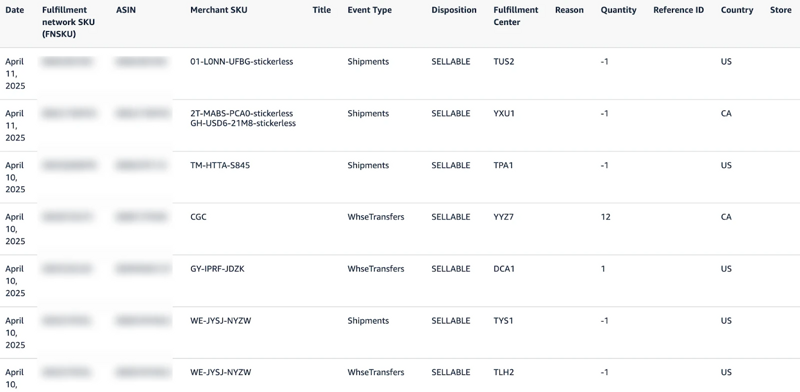
If the product was returned by a customer, check the customer returns report to see if it was marked as damaged. These reports will give you the information you need to identify where the damage happened and whether you’re eligible for reimbursement. Regularly reviewing these reports can help you stay on top of any issues.
#4 File FBA reimbursement claims
Filing an FBA reimbursement claim is the next step when you identify damaged or lost inventory in your Amazon FBA business. If Amazon is responsible for the damage or loss, you’re entitled to be reimbursed. Here’s how to file a claim:
Go to Seller Central: Log into your Amazon Seller Central account.
Navigate to Help: Click on the “Help” menu and select “Get Support.”
Select fulfillment by Amazon: Choose the option for FBA-related issues.
Choose the issue type: Select whether your claim is about lost inventory, damaged goods, or other reimbursement issues.
Provide the details: Fill out the form with accurate details like ASIN, order ID, and a description of the issue.
Submit the claim: Review the information and submit your claim.
Once submitted, Amazon will review your claim. If approved, you’ll receive reimbursement for the lost or damaged inventory. Keep track of the claim status regularly. Here, you can choose the best Amazon reimbursement service that handles your claims, by providing details and choosing the right issue type.
#5 Request feedback removal
If damaged goods have led to negative feedback, you can request its removal from your Amazon seller account. Negative feedback can hurt your account health, so it’s important to address it quickly.
First, log in to your Seller Central account and go to the performance section.
Then, select feedback under customer feedback. Find the feedback you want to remove and check if it meets Amazon’s criteria for removal.
Amazon may remove feedback if it’s related to a product defect caused by Amazon or if it violates Amazon’s policies, such as inappropriate content.
If the feedback doesn’t meet the removal criteria, you can still respond to it politely and professionally, offering a solution to the customer. This shows future buyers that you care about customer satisfaction.
While you can’t remove all feedback, addressing the issue and providing a solution can help protect your seller reputation.
#6 Respond to negative reviews
Responding to negative reviews is important for maintaining your Amazon seller reputation and keeping your account health in check. When you receive a negative review, stay calm and professional. First, read the review carefully and try to understand the customer’s issue.
If the complaint is about damaged goods, apologize for the inconvenience and explain how you’re working to prevent it in the future. Offer to resolve the issue by providing a replacement or refund if appropriate. Acknowledge the problem and show that you care about customer satisfaction.
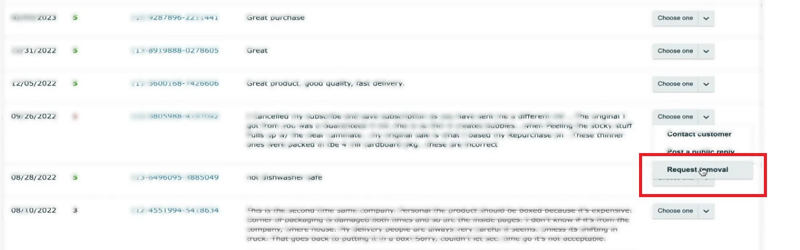
In some cases, if the review is unfair or violates Amazon's guidelines, you can request removal through Seller Central. However, it’s important to focus on improving your product quality, packaging, and customer service to prevent future negative feedback. Here, you need to respond quickly and thoughtfully to show potential customers that you're committed to resolving issues and improving their experience.
#7 Improve your packaging
Improving your packaging and prep is essential to reduce the risk of damage during shipping and storage. When preparing your products for Amazon FBA, make sure they are securely packaged to protect them from any impact or pressure during transit and while stored in Amazon’s warehouse.
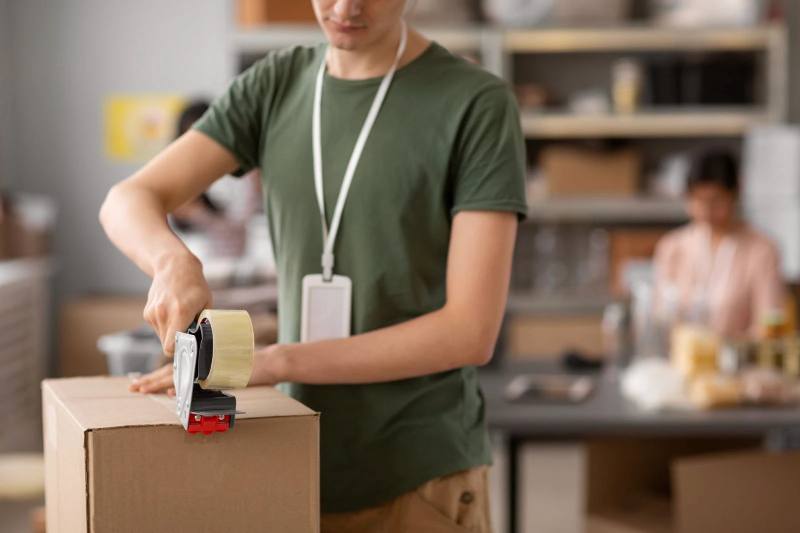
Use high-quality, durable packaging materials like bubble wrap, foam, and sturdy boxes to prevent damage. Also, follow Amazon’s FBA product preparation guidelines carefully. This includes labeling, sorting, and packaging items according to their specific requirements.
Properly labeled and prepped products are less likely to be damaged during handling and storage. If your packaging isn’t secure enough, items may get damaged, leading to reimbursements and negative seller metrics.
By taking extra care with packaging and following Amazon’s guidelines, you can reduce the chances of damage, avoid unnecessary costs, and improve your customer experience. This helps keep your business running smoothly and your profits safe.
#8 Choose reliable shipping partners
Choosing reliable shipping partners is key to preventing damage during transit. When selecting a shipping company, look for a provider with a good reputation for handling packages carefully and delivering on time.
Check reviews and feedback from other sellers to see how well they handle goods. You should also consider insurance options to protect your products during shipping. Reliable partners will ensure your items reach Amazon’s warehouse and customers in good condition, reducing the risk of damage.
By partnering with trusted shipping companies, you can avoid delays and damaged products that impact your seller metrics.
#9 Use tools like Refunzo
Using tools like Refunzo can make the process of handling damaged goods and filing Amazon FBA inventory reimbursement claims much easier. Refunzo automatically scans your Amazon account for discrepancies, such as lost inventory, damaged items, or incorrect fees.
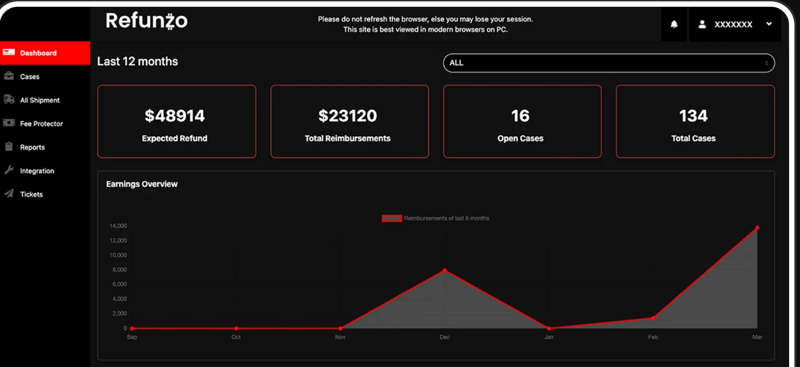
It tracks every transaction and identifies potential reimbursement opportunities. Instead of manually checking reports, Refunzo does the hard work for you, saving time and reducing errors. It also helps you file claims with Amazon and follow up until the issue is resolved.
With Refunzo, you don’t have to worry about missing reimbursements or spending hours on reports. It’s an efficient tool to protect your profits and keep your business running smoothly.
#10 Monitor account health regularly
Monitoring your Amazon account health regularly is essential for keeping your business running smoothly. check your account health dashboard in Seller Central to track important metrics like order defect rate, return rate, and customer feedback.
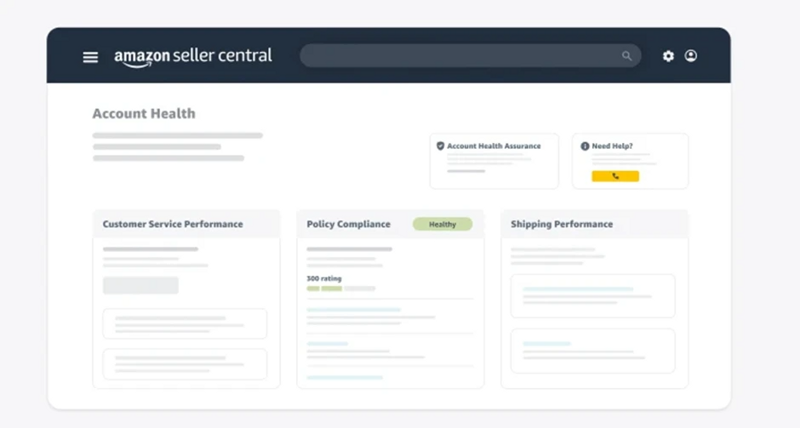
This will help you spot any issues early and take action before they affect your performance. Pay close attention to negative feedback or A-to-Z guarantee claims, as these can impact your account health.
If you notice a problem, address it quickly by improving your customer service or resolving any inventory issues. Regular monitoring ensures that your account stays in good standing and helps you avoid penalties that can hurt your sales.
Final thoughts
To sum up, handling damaged products properly and maintaining strong seller metrics is vital for long-term success on Amazon. By identifying where the damage occurred, filing reimbursement claims, and addressing negative feedback, you can recover lost funds and improve your account health.
Additionally, taking steps like improving packaging, choosing reliable shipping partners, and using tools like Refunzo can prevent damage and save you time. Regularly monitoring your account health ensures you stay on track and avoid penalties. If you're looking to streamline the process, consider using our Amazon FBA reimbursement services to recover what’s owed to you with ease.