
How do I File a SAFE-T Claim for Damaged or Missing Customer Returns?
Dec 4, 2025
Dec 4, 2025
TL;DR
SAFE-T claims help Amazon sellers get reimbursed for missing, damaged, or improperly processed customer returns.
You should file a claim when a return is lost, arrives damaged, is incorrectly processed, or is marked “fulfilled” but never reaches your inventory.
Filing a claim requires locating the return in Seller Central, selecting the issue, filling out the SAFE-T form, and submitting it for review.
Common mistakes include missing documentation, wrong order details, late filing, and not following up often, leading to claim rejection.
Automated Amazon reimbursement tools like Refunzo speed up the process, increase accuracy, track claims in real time, and ensure no reimbursement opportunity is missed.
Refunzo audits your account, finds losses, files cases, and manages each claim individually, helping sellers recover money quickly and effortlessly.
Dealing with missing or damaged customer returns on Amazon can be incredibly frustrating, especially when you’re not sure how to recover those lost funds. But, filing a SAFE-T claim is your solution to get reimbursed for those returns that don't make it back to your inventory in one piece or at all.
Whether it’s a product lost in transit, damaged, or not properly processed, Amazon has a system in place to protect sellers like you. In this guide, we’ll walk you through the steps to file a SAFE-T claim for customer returns, explain when you should file, and share how automation can make the process smoother, faster, and error-free.
If you’re tired of the manual paperwork and constant follow-ups, we’ll show you how the Amazon reimbursement tool can help streamline the entire process, saving you time and ensuring you never miss a claim again.
What is a SAFE-T claim?
A SAFE-T claim is designed to help sellers recover costs for returns that are damaged, missing, or improperly processed. It acts as a safeguard for sellers who encounter issues with returned items not making it back to their inventory in one piece or not showing up at all.
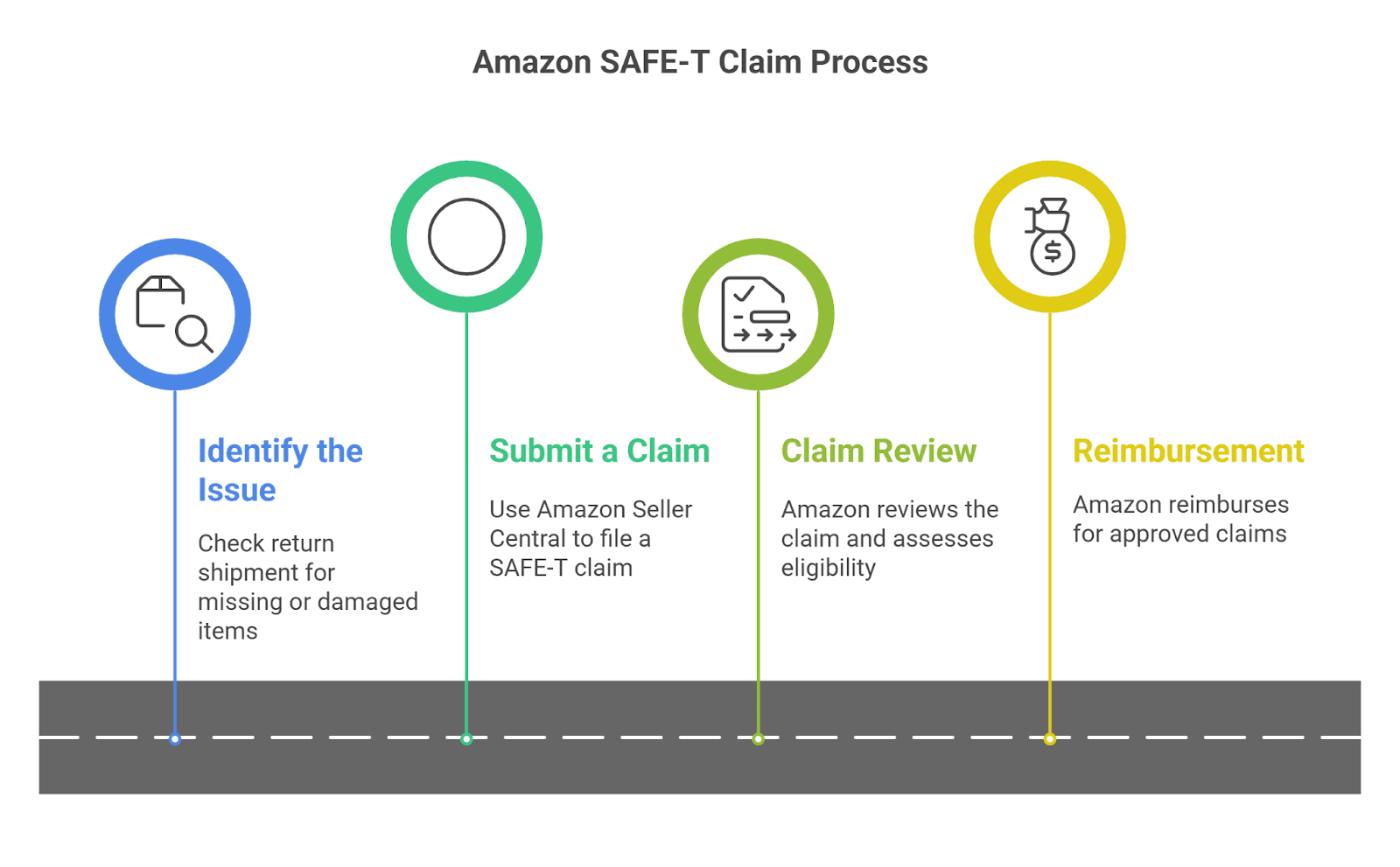
Here’s how it works:
Identify the issue: Check your return shipment to see if an item is missing or damaged.
Submit a claim: Use Amazon Seller Central to file a SAFE-T claim, providing details like return tracking and product condition.
Claim review: Amazon will review your claim and assess whether the item qualifies for reimbursement.
Reimbursement: If the claim is approved, Amazon will reimburse you for the value of the missing or damaged product.
This process is a lifeline for Amazon sellers, ensuring that you’re not left covering the cost of mistakes beyond your control.
When should you file a SAFE-T claim?
As an Amazon seller, there are certain situations where you should consider filing a SAFE-T claim for customer returns. Knowing when to file can help you recover lost funds quickly, so you don’t end up covering costs for issues that are out of your control.
Here’s when to file a SAFE-T claim for customer returns:
Missing returns: If a customer has returned an item, but Amazon can’t locate it in their warehouse, it’s time to file a SAFE-T claim. This often happens if the item is misplaced or lost during transit.
Damaged returns: If a customer’s returned product arrives damaged or in unusable condition, you can file a SAFE-T claim. This ensures you’re not responsible for the loss, the damaged inventory, or any issues related to FBA lost and damaged inventory.
Incorrectly processed returns: Sometimes, Amazon might not properly process a return, or the condition of the item might not match what was reported by the customer. If this happens, it’s worth filing an Amazon reimbursement claim to recover the cost.
Unfulfilled return requests: If a return request is marked as "fulfilled" but you never received the returned item, don’t hesitate to file a SAFE-T claim for customer returns.
Filing a claim promptly ensures you don't miss out on reimbursement and helps Amazon sellers avoid unnecessary costs, making the whole returns process more manageable.
How to file a SAFE-T claim step-by-step
Filing a SAFE-T claim for damaged or missing customer returns on Amazon might seem a bit tricky, but don’t worry; it’s a straightforward process once you know the steps. Below is a simple, seller-friendly guide to help you file your claim without the hassle.
Step-by-step guide
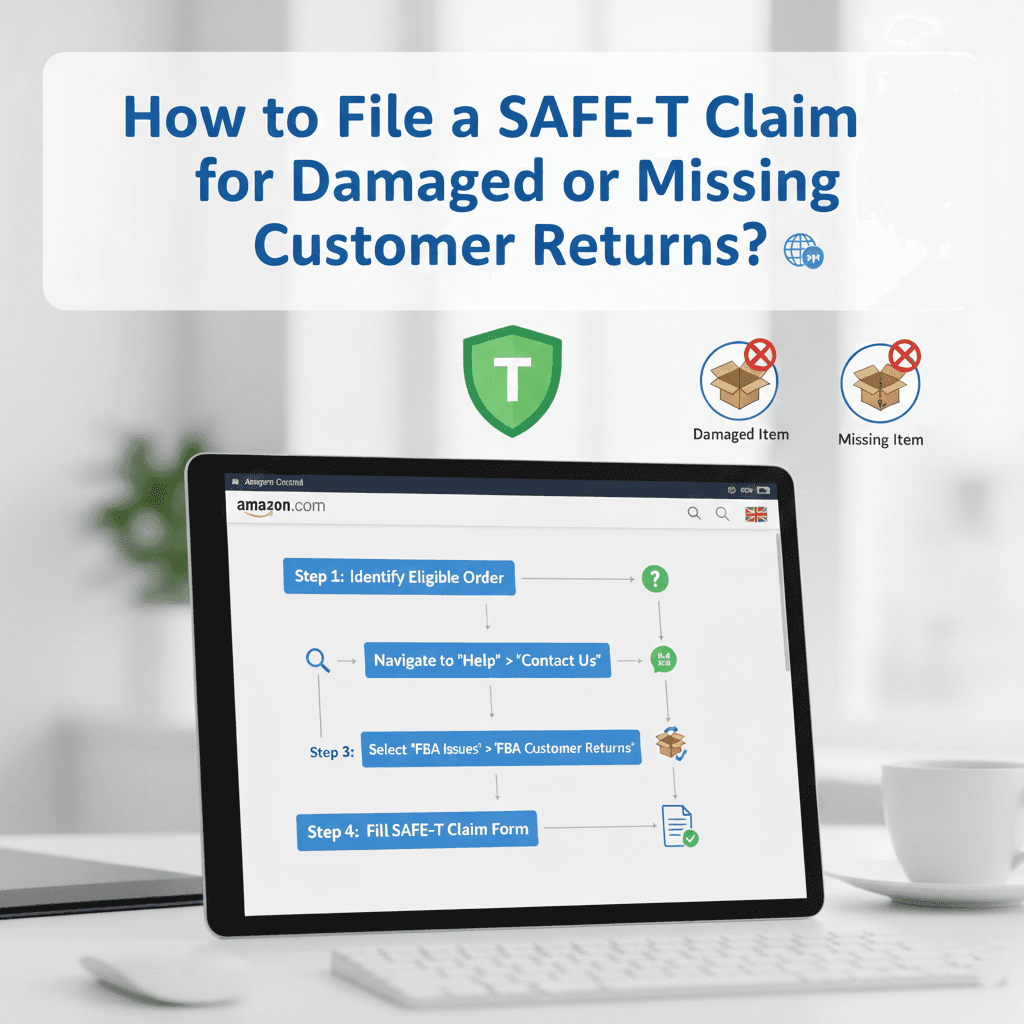
Log into Amazon Seller Central: Head to Amazon Seller Central and log in to your account.
Go to the 'Returns' section: From the main dashboard, navigate to the “Orders” tab, and click on “Manage Returns.”
Locate the missing or damaged return: Find the specific return in question. You can search by order ID, return ID, or customer details to easily locate it.
Select the return issue: Once you’ve found the return, select the issue you’re facing, whether it’s missing, damaged, or incorrectly processed.
Choose 'file a SAFE-T claim: After selecting the return issue, you’ll see the option to file a SAFE-T claim. Click on it to start the claim process.
Fill out the claim form: Enter all the required information, including tracking details, product condition, and a brief explanation of the issue.
Submit your claim: Once everything looks good, submit the claim. Amazon will review it and notify you of the outcome.
Seller tip: Navigating Amazon’s interface can be time-consuming, but Amazon automation software for sellers can simplify this process, saving you time and frustration. By following these simple steps, you'll be able to file a SAFE-T claim for customer returns and get reimbursed for lost or damaged items quickly.
Why is automating the SAFE-T claim process crucial?
When it comes to handling missing or damaged customer returns, manually filing a SAFE-T claim can quickly become a time-consuming and error-prone task for Amazon sellers.
With multiple steps and the need for accuracy, the process often leads to delays, lost claims, and frustration. But there's a smarter way to handle it with automation. Automating the SAFE-T claim process ensures that your claims are filed quickly, accurately, and without the risk of missing important details.
Here's why automating is crucial for sellers:
Speed and efficiency: Automating the process saves you hours of work, enabling you to file claims in just a few clicks. This means you can focus on growing your business instead of getting bogged down in paperwork.
Accuracy: By eliminating human error, automation ensures that all the required details are filled in correctly, avoiding mistakes that could delay the reimbursement process.
Track claims seamlessly: With automated tools, you can easily track the status of all your claims in one place. No more manually checking or missing follow-ups.
Consistent results: Automation ensures that every claim is processed according to the same standards, eliminating inconsistencies and helping you maintain a reliable claim process.
For example, our Amazon reimbursement service automatically generates the necessary actions for each claim, ensures all information is complete, and submits it to Amazon on your behalf. It tracks the claims, notifying you of any updates and reducing the time spent managing each case.
With automation, you not only streamline your workload but also improve your chances of timely reimbursement, allowing you to focus on what really matters: growing your Amazon business.
Common mistakes to avoid when filing SAFE-T claims
Missing documentation: Failing to attach important documents, such as tracking info, photos of damaged products, or detailed return information, can result in your claim being rejected.
Not following up: Neglecting to track the status of your claim or failing to follow up with Amazon when requested can lead to unnecessary delays or missed opportunities for reimbursement.
Misreporting product condition: If you inaccurately report the condition of the returned product, like claiming a product is undamaged when it’s actually broken, your claim may be denied.
Incorrect product or return information: Filing a claim with the wrong order number, product ID, or return details will cause confusion and slow down the claim process.
Filing too late: Waiting too long to file your SAFE-T claim can lead to missed deadlines, especially for returns that are outside the filing window.
Not using Amazon's claim template properly: Inaccurately completing the claim form or missing critical fields can delay or prevent approval.
Lack of evidence for missing returns: If a return is missing, not providing enough proof, like tracking details or return confirmation, can weaken your claim.
How does an automated Amazon reimbursement tool help?
For Amazon sellers, managing SAFE-T claims manually can feel like juggling numbers, deadlines, and endless follow-ups. That’s exactly why using Amazon reimbursement automation is no longer optional; it’s a smart move that saves time, increases accuracy, and puts money back into your pocket faster.
With Refunzo, your Amazon reimbursement specialist helps sellers get a fully automated system that works seamlessly with Amazon Seller Central, giving you full visibility into every reimbursement opportunity.
Why do sellers trust Refunzo?
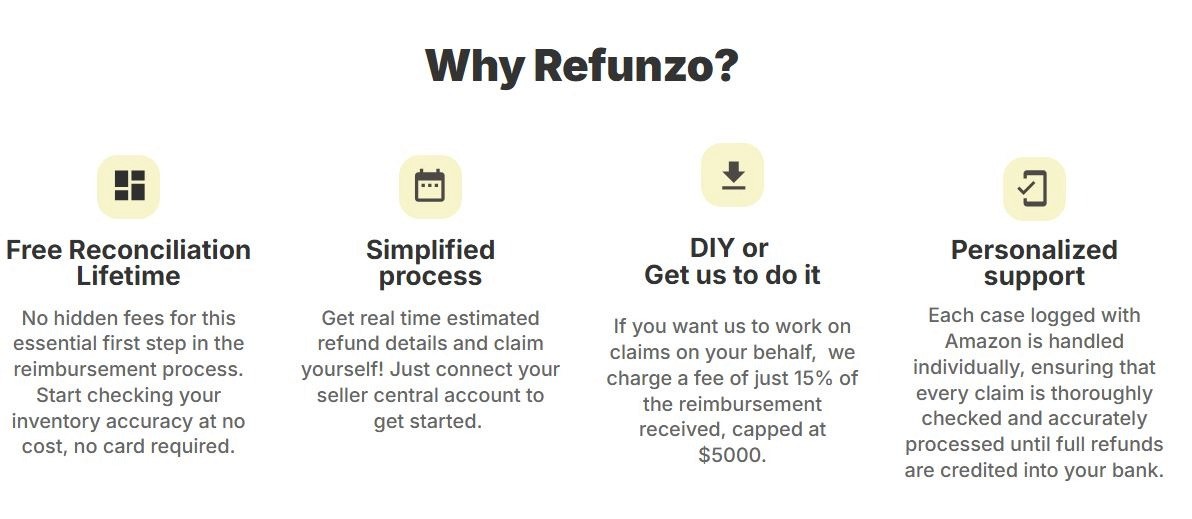
Faster reimbursements: Automation slashes the time spent on filing SAFE-T claims. Refunzo handles the heavy lifting, so reimbursements reach your account sooner.
Higher claim accuracy: Manual errors cost sellers money. Refunzo checks every claim against multiple data points to ensure complete accuracy.
Real-time tracking: Get instant updates through your dashboard and always know exactly where your claims stand.
No missed claims: The system runs continuous checks, so you never lose money due to oversight or missed deadlines.
How Refunzo works (Step-by-Step)
Connect your Amazon account to Refunzo through the web app.
Run a deep audit with Refunzo, analyzing over 20 criteria to find mismatches and losses in your Amazon account.
Receive a clear, detailed reimbursement report showing how much Amazon owes you.
Create support cases instantly or let Refunzo handle it for you.
Every claim is managed individually, ensuring accuracy and proper follow-through until refunds reach your bank.
With Refunzo, sellers don’t just file claims and recover every rupee they’re owed with confidence, speed, and total transparency.
Ready to get those refunds back in your pocket?
Recovering money for missing or damaged returns shouldn’t feel like a battle, and with the right approach, it doesn’t have to be. SAFE-T claims are your safety net, but automation is what turns that safety net into a powerful profit-protection system.
Instead of drowning in forms, deadlines, and follow-ups, tools like Refunzo make the entire process effortless, accurate, and fully trackable.
Think of it this way: every missed claim is money left on the table. With automation doing the heavy lifting, you can audit your account, file claims, and track reimbursements. You regain control, save time, and recover every rupee Amazon owes you.
TL;DR
SAFE-T claims help Amazon sellers get reimbursed for missing, damaged, or improperly processed customer returns.
You should file a claim when a return is lost, arrives damaged, is incorrectly processed, or is marked “fulfilled” but never reaches your inventory.
Filing a claim requires locating the return in Seller Central, selecting the issue, filling out the SAFE-T form, and submitting it for review.
Common mistakes include missing documentation, wrong order details, late filing, and not following up often, leading to claim rejection.
Automated Amazon reimbursement tools like Refunzo speed up the process, increase accuracy, track claims in real time, and ensure no reimbursement opportunity is missed.
Refunzo audits your account, finds losses, files cases, and manages each claim individually, helping sellers recover money quickly and effortlessly.
Dealing with missing or damaged customer returns on Amazon can be incredibly frustrating, especially when you’re not sure how to recover those lost funds. But, filing a SAFE-T claim is your solution to get reimbursed for those returns that don't make it back to your inventory in one piece or at all.
Whether it’s a product lost in transit, damaged, or not properly processed, Amazon has a system in place to protect sellers like you. In this guide, we’ll walk you through the steps to file a SAFE-T claim for customer returns, explain when you should file, and share how automation can make the process smoother, faster, and error-free.
If you’re tired of the manual paperwork and constant follow-ups, we’ll show you how the Amazon reimbursement tool can help streamline the entire process, saving you time and ensuring you never miss a claim again.
What is a SAFE-T claim?
A SAFE-T claim is designed to help sellers recover costs for returns that are damaged, missing, or improperly processed. It acts as a safeguard for sellers who encounter issues with returned items not making it back to their inventory in one piece or not showing up at all.
Here’s how it works:
Identify the issue: Check your return shipment to see if an item is missing or damaged.
Submit a claim: Use Amazon Seller Central to file a SAFE-T claim, providing details like return tracking and product condition.
Claim review: Amazon will review your claim and assess whether the item qualifies for reimbursement.
Reimbursement: If the claim is approved, Amazon will reimburse you for the value of the missing or damaged product.
This process is a lifeline for Amazon sellers, ensuring that you’re not left covering the cost of mistakes beyond your control.
When should you file a SAFE-T claim?
As an Amazon seller, there are certain situations where you should consider filing a SAFE-T claim for customer returns. Knowing when to file can help you recover lost funds quickly, so you don’t end up covering costs for issues that are out of your control.
Here’s when to file a SAFE-T claim for customer returns:
Missing returns: If a customer has returned an item, but Amazon can’t locate it in their warehouse, it’s time to file a SAFE-T claim. This often happens if the item is misplaced or lost during transit.
Damaged returns: If a customer’s returned product arrives damaged or in unusable condition, you can file a SAFE-T claim. This ensures you’re not responsible for the loss, the damaged inventory, or any issues related to FBA lost and damaged inventory.
Incorrectly processed returns: Sometimes, Amazon might not properly process a return, or the condition of the item might not match what was reported by the customer. If this happens, it’s worth filing an Amazon reimbursement claim to recover the cost.
Unfulfilled return requests: If a return request is marked as "fulfilled" but you never received the returned item, don’t hesitate to file a SAFE-T claim for customer returns.
Filing a claim promptly ensures you don't miss out on reimbursement and helps Amazon sellers avoid unnecessary costs, making the whole returns process more manageable.
How to file a SAFE-T claim step-by-step
Filing a SAFE-T claim for damaged or missing customer returns on Amazon might seem a bit tricky, but don’t worry; it’s a straightforward process once you know the steps. Below is a simple, seller-friendly guide to help you file your claim without the hassle.
Step-by-step guide
Log into Amazon Seller Central: Head to Amazon Seller Central and log in to your account.
Go to the 'Returns' section: From the main dashboard, navigate to the “Orders” tab, and click on “Manage Returns.”
Locate the missing or damaged return: Find the specific return in question. You can search by order ID, return ID, or customer details to easily locate it.
Select the return issue: Once you’ve found the return, select the issue you’re facing, whether it’s missing, damaged, or incorrectly processed.
Choose 'file a SAFE-T claim: After selecting the return issue, you’ll see the option to file a SAFE-T claim. Click on it to start the claim process.
Fill out the claim form: Enter all the required information, including tracking details, product condition, and a brief explanation of the issue.
Submit your claim: Once everything looks good, submit the claim. Amazon will review it and notify you of the outcome.
Seller tip: Navigating Amazon’s interface can be time-consuming, but Amazon automation software for sellers can simplify this process, saving you time and frustration. By following these simple steps, you'll be able to file a SAFE-T claim for customer returns and get reimbursed for lost or damaged items quickly.
Why is automating the SAFE-T claim process crucial?
When it comes to handling missing or damaged customer returns, manually filing a SAFE-T claim can quickly become a time-consuming and error-prone task for Amazon sellers.
With multiple steps and the need for accuracy, the process often leads to delays, lost claims, and frustration. But there's a smarter way to handle it with automation. Automating the SAFE-T claim process ensures that your claims are filed quickly, accurately, and without the risk of missing important details.
Here's why automating is crucial for sellers:
Speed and efficiency: Automating the process saves you hours of work, enabling you to file claims in just a few clicks. This means you can focus on growing your business instead of getting bogged down in paperwork.
Accuracy: By eliminating human error, automation ensures that all the required details are filled in correctly, avoiding mistakes that could delay the reimbursement process.
Track claims seamlessly: With automated tools, you can easily track the status of all your claims in one place. No more manually checking or missing follow-ups.
Consistent results: Automation ensures that every claim is processed according to the same standards, eliminating inconsistencies and helping you maintain a reliable claim process.
For example, our Amazon reimbursement service automatically generates the necessary actions for each claim, ensures all information is complete, and submits it to Amazon on your behalf. It tracks the claims, notifying you of any updates and reducing the time spent managing each case.
With automation, you not only streamline your workload but also improve your chances of timely reimbursement, allowing you to focus on what really matters: growing your Amazon business.
Common mistakes to avoid when filing SAFE-T claims
Missing documentation: Failing to attach important documents, such as tracking info, photos of damaged products, or detailed return information, can result in your claim being rejected.
Not following up: Neglecting to track the status of your claim or failing to follow up with Amazon when requested can lead to unnecessary delays or missed opportunities for reimbursement.
Misreporting product condition: If you inaccurately report the condition of the returned product, like claiming a product is undamaged when it’s actually broken, your claim may be denied.
Incorrect product or return information: Filing a claim with the wrong order number, product ID, or return details will cause confusion and slow down the claim process.
Filing too late: Waiting too long to file your SAFE-T claim can lead to missed deadlines, especially for returns that are outside the filing window.
Not using Amazon's claim template properly: Inaccurately completing the claim form or missing critical fields can delay or prevent approval.
Lack of evidence for missing returns: If a return is missing, not providing enough proof, like tracking details or return confirmation, can weaken your claim.
How does an automated Amazon reimbursement tool help?
For Amazon sellers, managing SAFE-T claims manually can feel like juggling numbers, deadlines, and endless follow-ups. That’s exactly why using Amazon reimbursement automation is no longer optional; it’s a smart move that saves time, increases accuracy, and puts money back into your pocket faster.
With Refunzo, your Amazon reimbursement specialist helps sellers get a fully automated system that works seamlessly with Amazon Seller Central, giving you full visibility into every reimbursement opportunity.
Why do sellers trust Refunzo?
Faster reimbursements: Automation slashes the time spent on filing SAFE-T claims. Refunzo handles the heavy lifting, so reimbursements reach your account sooner.
Higher claim accuracy: Manual errors cost sellers money. Refunzo checks every claim against multiple data points to ensure complete accuracy.
Real-time tracking: Get instant updates through your dashboard and always know exactly where your claims stand.
No missed claims: The system runs continuous checks, so you never lose money due to oversight or missed deadlines.
How Refunzo works (Step-by-Step)
Connect your Amazon account to Refunzo through the web app.
Run a deep audit with Refunzo, analyzing over 20 criteria to find mismatches and losses in your Amazon account.
Receive a clear, detailed reimbursement report showing how much Amazon owes you.
Create support cases instantly or let Refunzo handle it for you.
Every claim is managed individually, ensuring accuracy and proper follow-through until refunds reach your bank.
With Refunzo, sellers don’t just file claims and recover every rupee they’re owed with confidence, speed, and total transparency.
Ready to get those refunds back in your pocket?
Recovering money for missing or damaged returns shouldn’t feel like a battle, and with the right approach, it doesn’t have to be. SAFE-T claims are your safety net, but automation is what turns that safety net into a powerful profit-protection system.
Instead of drowning in forms, deadlines, and follow-ups, tools like Refunzo make the entire process effortless, accurate, and fully trackable.
Think of it this way: every missed claim is money left on the table. With automation doing the heavy lifting, you can audit your account, file claims, and track reimbursements. You regain control, save time, and recover every rupee Amazon owes you.
Related post

FBA Reimbursement
Multi-marketplace reconciliation is broken? How Refunzo helps global Amazon sellers get their money back
Multi-marketplace reconciliation is broken? How Refunzo helps global Amazon sellers get their money back
Multi-marketplace reconciliation is broken? How Refunzo helps global Amazon sellers get their money back
Multi-marketplace reconciliation is broken? How Refunzo helps global Amazon sellers get their money back
Mar 25, 2026
|
12 mins
Amazon FBA Reimbursements
Stop revenue loss: Handle Amazon reversed reimbursement like a pro
Stop revenue loss: Handle Amazon reversed reimbursement like a pro
Stop revenue loss: Handle Amazon reversed reimbursement like a pro
Stop revenue loss: Handle Amazon reversed reimbursement like a pro
Mar 7, 2026
|
12mins
Amazon FBA Reimbursements
Amazon reimbursement report every seller must check to claim missing reimbursements
Amazon reimbursement report every seller must check to claim missing reimbursements
Amazon reimbursement report every seller must check to claim missing reimbursements
Amazon reimbursement report every seller must check to claim missing reimbursements
Mar 2, 2026
|
12 mins

Stay updated by subscribing
to our newsletter.
Stay updated by subscribing
to our newsletter.
Stay informed and up-to-date with the latest news and updates
from our company by subscribing to our newsletter.
Stay informed and up-to-date
with the latest news and updates
from our company by subscribing to
our newsletter.